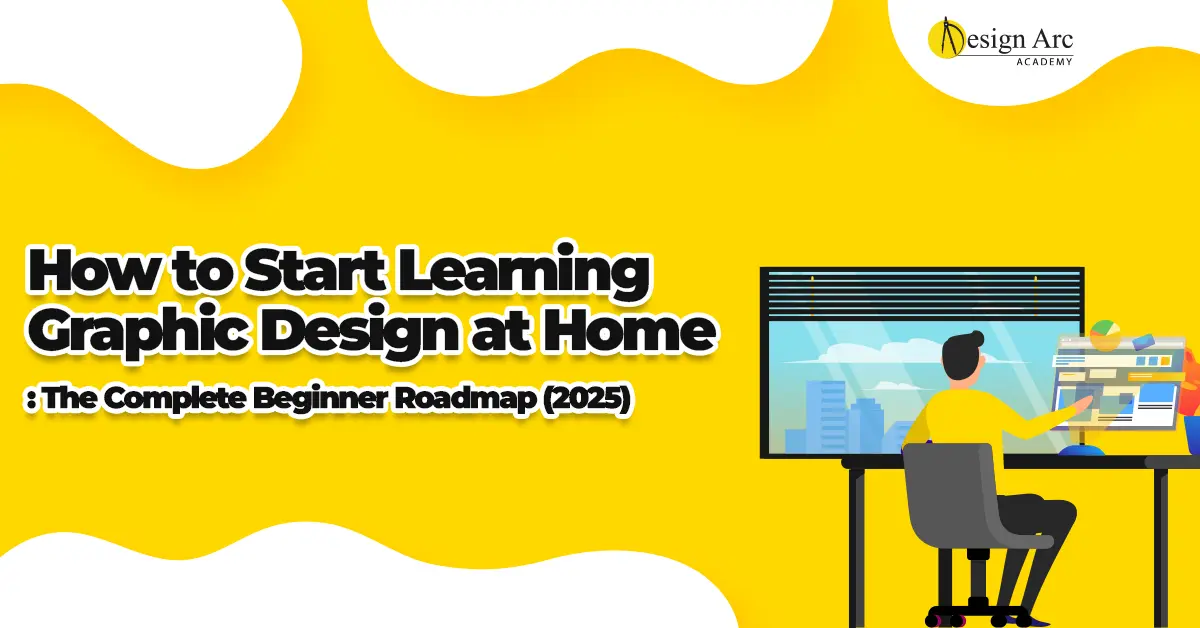
Introduction: Why Learning Graphic Design at Home Has Never Been Easier
Graphic design has become one of the most accessible and rewarding skills to learn from home. Whether you want to start freelancing, move into a creative career, build your own brand, or simply explore a new passion, starting graphic design from home offers a flexible and affordable path. In 2025, learning graphic design no longer requires expensive degrees or physical classes; the entire learning journey—from mastering tools to building a portfolio—can be completed online using the right approach.
However, many beginners feel overwhelmed because they don’t know where to start. They often jump into random tutorials, get confused by software options, and fail to understand the fundamentals. The truth is that learning graphic design at home is not difficult, but it does require structure, consistency, and a clear roadmap. This guide breaks down the step-by-step process beginners should follow to learn design efficiently, avoid common mistakes, and become job-ready in the shortest time possible.
Step 1: Understand What Graphic Design Actually Is
Before opening Photoshop or watching tutorials, beginners must first understand what graphic design truly means. Graphic design is not just about making posters or logos; it is the art of communication. Designers solve problems visually, guide user behavior, and create experiences that help brands connect with their audience. Every design decision—color, font, layout, spacing, shape—has a purpose.
When you understand the purpose behind design, you stop copying trends and start creating with intention. You begin to see design as a blend of psychology, storytelling, and strategy, not just aesthetics. This mindset shift is what separates amateurs from professionals. It also helps you learn faster because you’re not simply memorizing tools—you’re understanding why those tools exist and how to use them effectively.
Learning design fundamentals (color theory, typography, composition, balance, hierarchy, contrast) is essential at the beginning. These principles guide every decision you make as a designer and form the foundation of your entire creative journey.
Step 2: Choose the Right Tools (Start Simple, Grow Gradually)
One of the biggest mistakes beginners make is trying to learn too many tools at once. You don’t need to master ten different apps to become a designer. In fact, most professionals use three core tools:
- Adobe Photoshop for photo editing and creative graphics
- Adobe Illustrator for vector design and logos
- Adobe InDesign for layouts, magazines, and brochures
These tools remain industry standards because they offer full creative control. Alternatives like Canva are great for quick tasks but limited for professional work. Beginners should start with Photoshop and Illustrator because they cover 80% of the design industry’s needs.
However, don’t rush. Start with one tool—Photoshop or Illustrator—and master its basics. Once you feel confident with one, move to the next. This gradual approach prevents overwhelm and helps you develop deeper expertise. If you’re learning at home, take one tool at a time and practice consistently for at least 30–45 minutes a day.
Step 3: Learn the Fundamentals Before Complex Techniques
Many beginners try to create advanced designs too early, which leads to frustration. Instead, focus on understanding fundamentals and mastering the basics before jumping into complex compositions. These fundamentals form the backbone of exceptional design and allow you to create professional work even with simple tools.
Core Fundamentals You Must Learn Early
- Color theory: Understanding warm vs cool colors, contrast, and emotional psychology.
- Typography: Font pairing, spacing, alignment, and readability.
- Layout and composition: How elements are arranged to create balance and hierarchy.
Learning these fundamentals gives you confidence and clarity when designing. Even if your software skills are basic, strong fundamentals make your designs look polished and intentional.
Step 4: Start With Simple Everyday Design Projects
The best way to learn graphic design is by doing. You can watch hundreds of tutorials, but your skills only grow when you apply what you learn through small, consistent design projects. Start with simple tasks that build confidence and allow you to practice fundamentals without pressure. These projects also help beginners understand how professional designs are constructed.
Instead of copying tutorials blindly, recreate designs you admire by breaking them down. This helps you understand structure, spacing, alignment, and visual flow. Over time, your eye for design becomes sharper, and your ability to make independent creative decisions improves significantly.
Step 5: Build a Beginner Portfolio With Realistic Projects
A portfolio is the most important asset for any designer. It does not matter whether you learned design from home or from a top institute—what matters is the quality of your portfolio. Beginners often wait too long before creating a portfolio, thinking they need to become experts first. This is a mistake. Your portfolio should evolve as you grow.
Start with simple projects and gradually add more complex ones. Focus on quality over quantity. Even four to six well-executed projects can impress clients or employers. Your portfolio should show different types of design work, such as posters, logos, brochures, social media templates, and brand concepts. Make sure each project tells a story—what the brief was, what problem you solved, and how you arrived at the final design.
Step 6: Learn From Feedback and Improve Your Eye for Design
Feedback is one of the most powerful tools for a designer’s growth. When you learn from home, you might not have teachers physically guiding you, but you can still seek feedback from online communities, mentors, or other designers. Constructive criticism helps you see your blind spots and understand design principles more deeply.
Design improvement is less about technical skill and more about observation. Study good design daily—look at brand campaigns, websites, posters, packaging, and digital ads. Ask yourself why certain designs feel balanced, why some fonts pair well, or why certain colors create specific emotions. The more you observe, the faster your eye for design sharpens.
Step 7: Practice Consistently, Even in Small Sessions
The biggest advantage of learning graphic design at home is flexibility. You don’t need long sessions to improve—consistency matters more than duration. Even practicing 30 minutes a day leads to significant improvement over a few months. Set small goals, such as redesigning a poster every day, trying a new font combination, or creating a simple social media template.
Small Daily Practices That Speed Up Learning
- Recreate one design you admire
- Try a new color palette
- Experiment with one new tool feature
- Create small branding elements
Step 8: Explore Branding, Layout Systems, and Visual Identity
Once you understand the basics, it’s time to evolve beyond simple poster design. Branding is one of the most important skills in the modern design industry because businesses rely heavily on strong visual identity. Learning branding helps you understand how design works across multiple platforms—logos, colors, typography, packaging, website banners, social media posts, and advertising.
Brand identity design teaches you consistency, system thinking, and storytelling. These skills open doors to higher-paying projects and long-term client relationships. Even if you learn design at home, working on branding projects—real or self-created—will elevate your creative and strategic thinking.
Step 9: Expand Into Motion Graphics and 3D Basics
As you progress, adding motion graphics and 3D to your skill set increases your value dramatically. Motion graphics is essential in 2025 because brands rely heavily on video content across social media and digital advertising. Even simple text animations, logo animations, and micro-transitions make your portfolio more modern.
3D design, even at a beginner level, helps you create realistic product visuals, modern typography, and dynamic compositions. Both motion and 3D skills differentiate you from thousands of designers who only create static work. You don’t need to master these technologies immediately—start with the basics, learn slowly, and gradually incorporate them into projects.
Step 10: Create a Personal Brand as a Designer
If you are learning graphic design for freelancing or personal branding, building your own identity is essential. Your Instagram, Behance, Dribbble, or LinkedIn profiles become your design portfolio and attract clients more effectively than traditional methods. Consistently posting your work online helps you develop a creative voice, gain visibility, and build trust.
Your personal brand should reflect your design style, tone, and creative values. Whether you prefer minimalism, bold typography, illustrations, or 3D compositions, your work should express personality and consistency. This becomes your signature in the industry.
Conclusion: Learning Graphic Design at Home Is a Rewarding Journey
Learning graphic design from home is not only achievable—it is one of the most effective paths to becoming a modern designer. The digital world offers all the resources you need, but success depends on following a structured roadmap, staying consistent, and practicing with intention. When you combine foundational learning, tool mastery, real-world projects, portfolio building, and continuous practice, you become a designer who can confidently create professional-level work.
The journey may feel slow at first, but every small improvement compounds over time. With the right guidance and consistent effort, you can go from complete beginner to industry-ready designer—while learning entirely from home.